SyncScribe vs Happy Scribe, Rev, Kapwing and Subtitle Edit: AI Subtitle Generators Compared (2026)
What SyncScribe does, what it costs, and when Happy Scribe, Rev, Kapwing or free Subtitle Edit is the better pick for generating SRT subtitles.

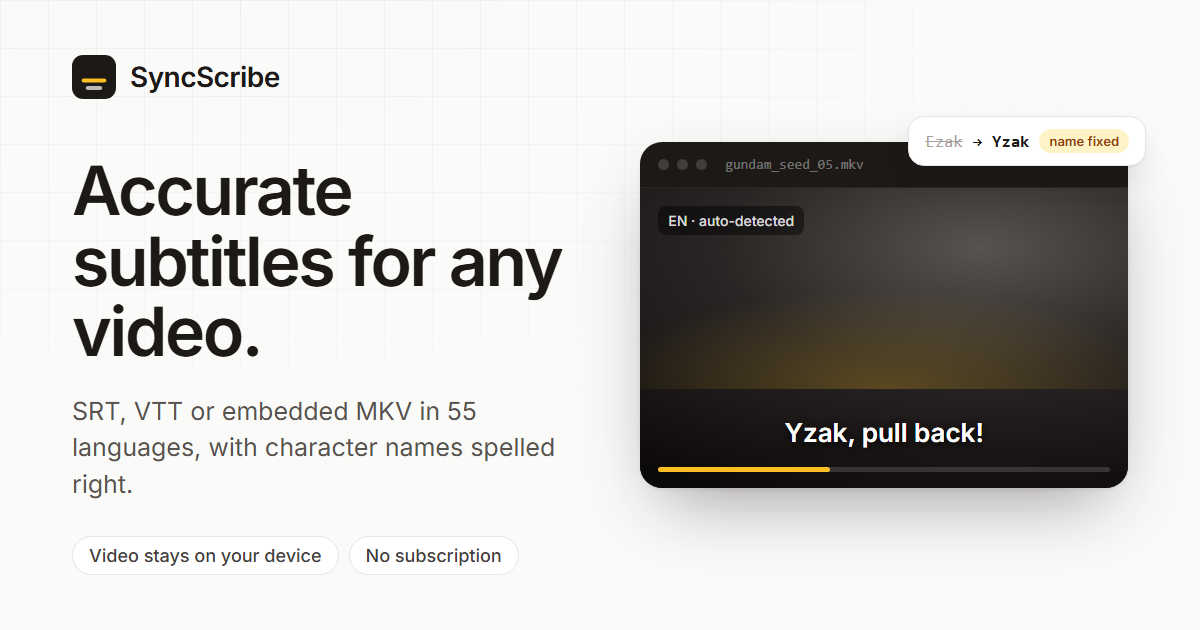
SyncScribe is a pay-as-you-go AI subtitle generator. You drop a video or audio file into your browser, pick a language, and get back SRT and VTT subtitle files, or an MKV with the subtitle tracks embedded.
This post explains what SyncScribe does and how it compares to Happy Scribe, Rev, Kapwing and Subtitle Edit. Each of these tools fits a different job, and the right pick depends on what you're subtitling.
What SyncScribe does
- Your video stays on your device. Audio is extracted in the browser with WebAssembly (ffmpeg). Only that compressed audio track is uploaded, never the video itself. This also makes uploads small and quick, even for multi-gigabyte MKV files.
- Whisper transcription in 55 languages, with automatic language detection.
- Translation into extra languages at half the credit cost of transcription per language. For example, one episode can get English, Spanish and Japanese subtitles in a single job.
- Automatic name correction. Speech-to-text often gets character names, places and made-up terms wrong ("Ezak" for Yzak, "Afrin" for Athrun). SyncScribe works out which show or film you uploaded from the file name and the dialogue, looks up its character and place names, and fixes the misheard ones. You don't type anything. It only makes a fix when the reference data supports it.
- SRT, VTT, or embedded MKV. You can download plain subtitle files for Plex, Jellyfin, VLC or YouTube. Or you can get an MKV back with the subtitle tracks muxed in. This step also happens in your browser.
- Shareable result links, so someone else can download the subtitles without an account.
- Credits never expire. You buy minutes when you need them, and there's no monthly plan to remember to cancel.
Who it's for
SyncScribe was built for one specific annoyance. You have an English dub of an anime whose subtitles are a translation of the Japanese script, so the subtitles don't match what's being said. More generally, it's useful whenever you have a video file and just need accurate subtitles for it:
- Your own media library (movies, TV episodes, anime, home videos) where subtitles are missing or out of sync
- Lectures, talks, interviews and podcasts that need a transcript or captions
- Creators who want an SRT to upload to YouTube or Vimeo, without a full video editor
- Anyone who needs subtitles a few times a year and doesn't want a subscription
SyncScribe vs Happy Scribe vs Rev vs Kapwing vs Subtitle Edit
Prices are from each vendor's public pricing page as of October 2026. Check them before you buy, because they change often.
| SyncScribe | Happy Scribe | Rev | Kapwing | Subtitle Edit | |
|---|---|---|---|---|---|
| Pricing model | Pay-as-you-go credits | Subscription + $0.20/min top-ups | Subscription (AI) or per-minute (human) | Subscription | Free, open source |
| Entry price | $9.99 for 120 min | $17/mo for 120 min | $29.99/mo (Essentials) | $24/mo ($16/mo annual) | $0 |
| Approx. cost per hour (AI) | $3–$5 | $8.50 on Basic, $12 top-up | Bundled in plan | Bundled in plan | Your own hardware |
| Free tier | 10 min on signup | 10 min trial | 45 min/month | 10 min, watermarked exports | Unlimited |
| Credits expire? | Never | Plan minutes reset monthly | Plan minutes reset monthly | Plan minutes reset monthly | n/a |
| Is your video uploaded? | No, audio only | Yes | Yes | Yes | No, runs locally |
| Human transcription option | No | Yes (~$2/min) | Yes ($1.99/min) | No | No |
| Subtitle editor | No (download and edit elsewhere) | Yes | Yes | Yes, with styling | Yes, very powerful |
| Burned-in / styled captions | No (soft subtitles / MKV tracks) | Yes | Limited | Yes | Via external tools |
| Setup | None (browser) | None (browser) | None (browser) | None (browser) | Desktop install; a GPU helps a lot |
Which one should you use?
- You need guaranteed accuracy, such as legal, broadcast or accessibility compliance: use Rev or Happy Scribe human transcription. AI subtitles, including SyncScribe's, still make mistakes on crosstalk, heavy accents and noisy audio.
- You make social videos and want styled, burned-in captions: use Kapwing (or VEED). They're video editors first, and their caption styling is the main draw.
- You want it free and are comfortable with desktop software: use Subtitle Edit with its built-in Whisper support. It's excellent, but it takes setup, and it's slow without a decent GPU.
- Your team transcribes every week: a Happy Scribe or Rev subscription gives you collaboration features and editors that SyncScribe doesn't have.
- You have video files and just want accurate SRTs, cheaply, without a subscription or uploading the whole video: use SyncScribe. It's especially good for TV, anime and movies with lots of character names, because it corrects them automatically.
FAQ
What's the cheapest way to generate SRT subtitles for a video?
Free local tools like Subtitle Edit with Whisper cost nothing if you have the hardware and patience. Among hosted tools, SyncScribe's pay-as-you-go packs work out to roughly $3–$5 per hour of audio, with no subscription. If you only subtitle occasionally, that's less than paying for a monthly plan you won't use up.
Can I generate subtitles without uploading my whole video?
Yes. SyncScribe extracts the audio in your browser and uploads only the audio track. Subtitle Edit runs fully offline. Most hosted editors (Happy Scribe, Rev, Kapwing, VEED) upload the full video.
Is there a Rev or Happy Scribe alternative without a subscription?
SyncScribe sells one-off credit packs ($9.99 for 120 minutes, $24.99 for 400, $74.99 for 1,500) that never expire.
How do I fix anime or TV subtitles that don't match the English dub?
Dub scripts are often rewritten, so translated subtitles drift from what's actually said. Generating subtitles from the dub's audio gives you text that matches word for word. SyncScribe recognizes the show and corrects character names automatically.
Which languages does SyncScribe support?
55 languages for transcription, including English, Japanese, Spanish, French, German, Korean, Chinese and Portuguese, with automatic language detection. Any of them can also be a translation target.
Can SyncScribe put the subtitles into my video file?
Yes. It can mux the subtitle tracks into an MKV in your browser, with one track per language. These are soft subtitles that you can switch on and off in your player, not burned into the picture.
Try SyncScribe free. You get 10 minutes on signup, and no credit card is required.